A Canadian company.Canadian and U.S. support. No overseas outsourcing.

Your data. Your team.
The Grovana platform

A platform you can shape around your business.

Your data. Your screens. Your workflows and AI. Start with a connected workspace, customize how your team works, and build your own business apps on the same foundation.

01 / AI & skills

Give your AI a way of working.

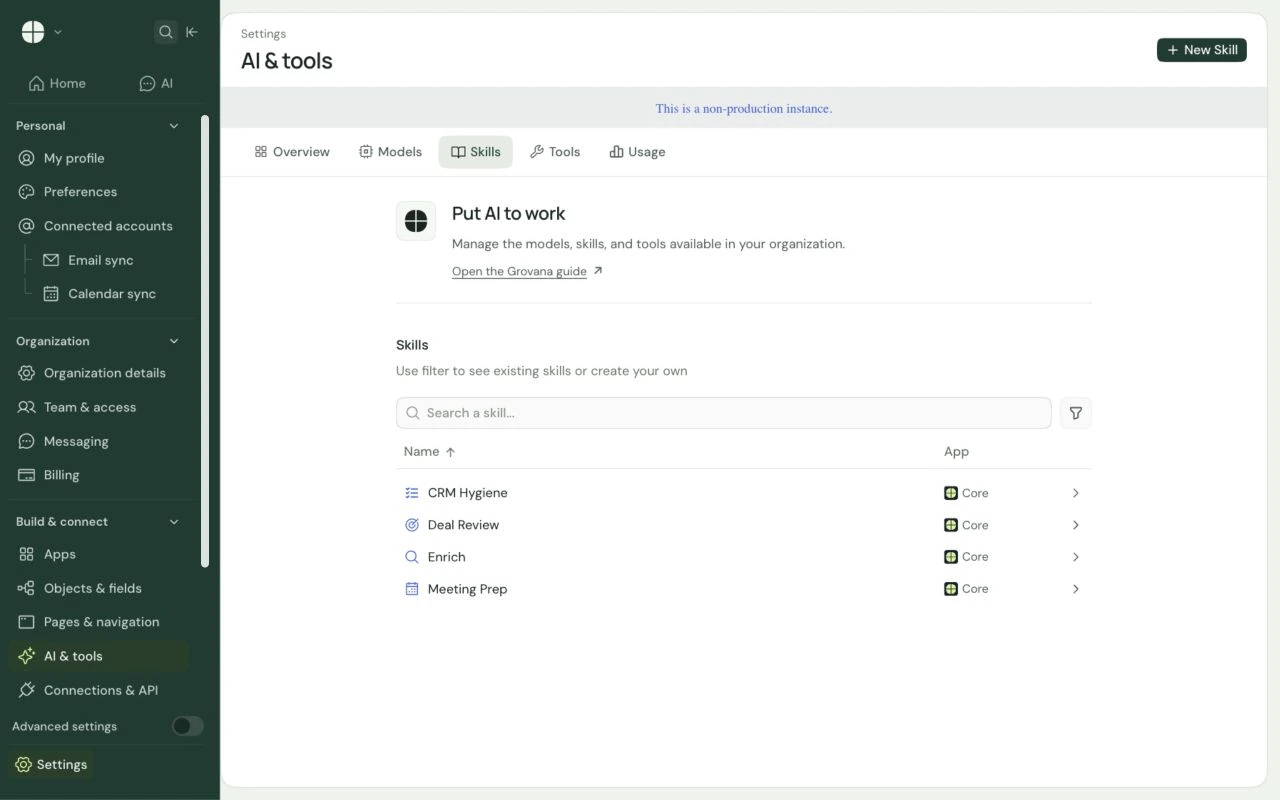
Meeting preparation, deal reviews, record enrichment. Start with built-in skills or create your own instructions for the work your team does every day.
  • Built-in and custom skills
  • Workspace instructions
  • Connected tools and record context
Grovana staging AI & tools settings showing CRM Hygiene, Deal Review, Enrich, and Meeting Prep skills, with a New Skill action.View full screen
Grovana staging · AI & tools settings · running AI tasks requires a configured model provider
AI & skillsOpen original ↗
Grovana staging AI & tools settings showing CRM Hygiene, Deal Review, Enrich, and Meeting Prep skills, with a New Skill action.

Grovana staging · AI & tools settings · running AI tasks requires a configured model provider

02 / Sales & relationships

See the next move in every relationship.

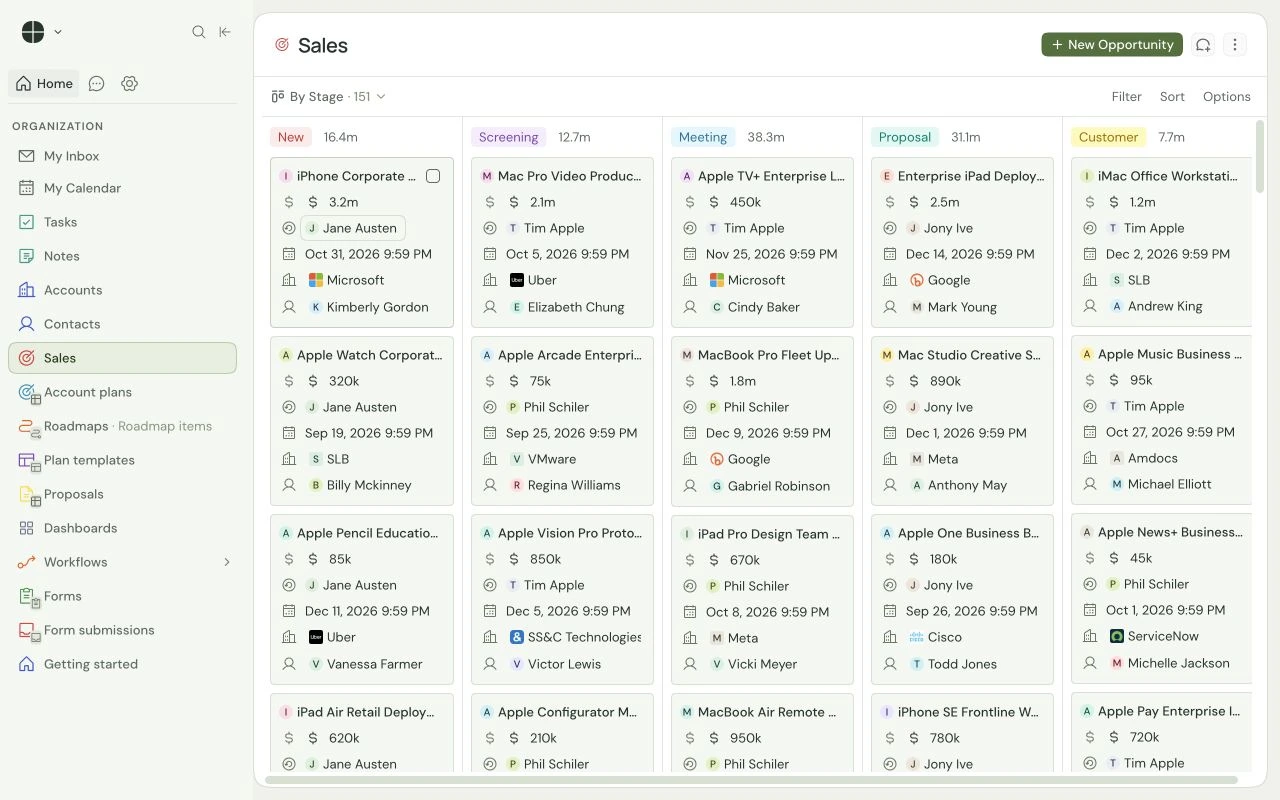
A real pipeline, connected to the people and companies behind each opportunity. Switch between tables and boards, choose the fields that matter, and keep ownership clear.
  • Configurable pipeline stages
  • Related accounts and contacts
  • Owners, amounts, and close dates
Grovana Sales kanban board with New, Screening, Meeting, Proposal, and Customer stages and related account records.View full screen
Grovana Sales board · local demo with synthetic records
Sales & relationshipsOpen original ↗
Grovana Sales kanban board with New, Screening, Meeting, Proposal, and Customer stages and related account records.

Grovana Sales board · local demo with synthetic records

03 / Workflows

Make the next step part of the process.

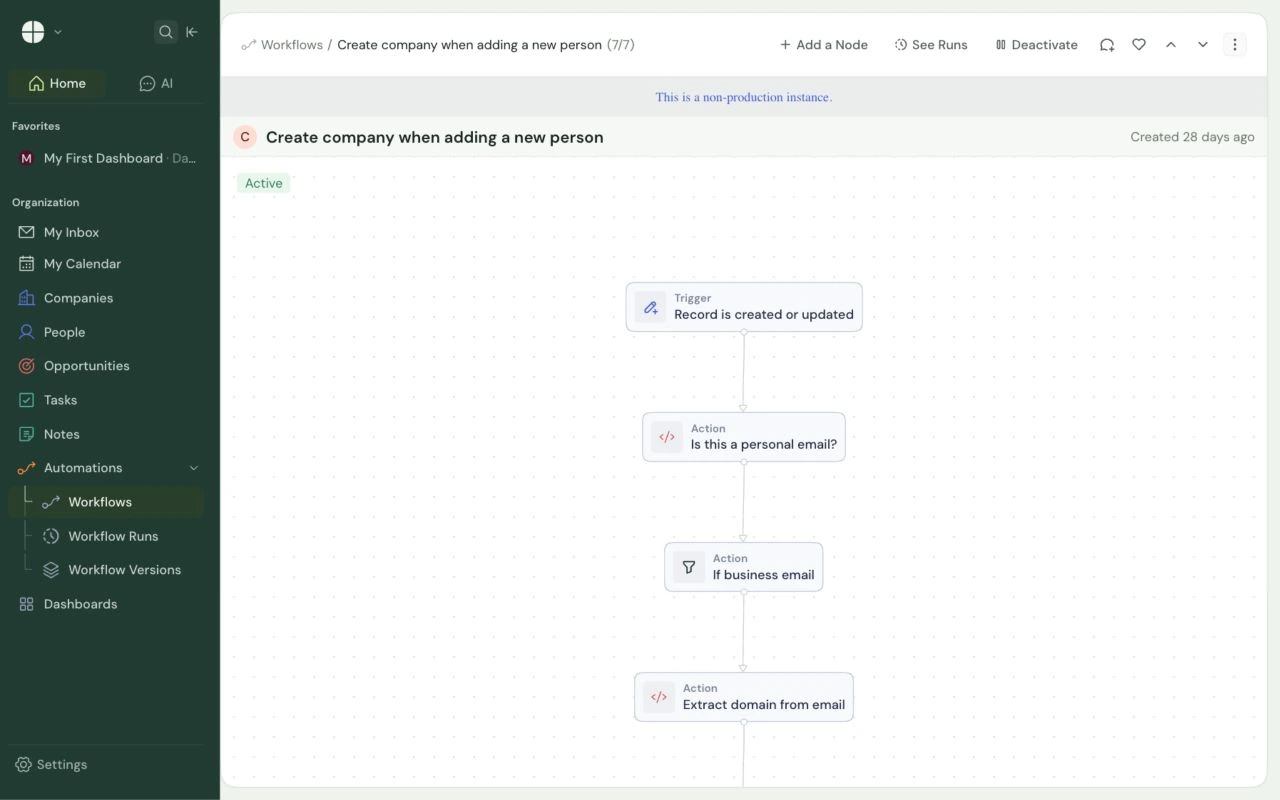
Build logic around your records with a visual workflow canvas. This working example checks a new contact’s email, finds the right company, and connects the records.
  • Record and event triggers
  • Conditions and code steps
  • Connected record actions
Grovana staging workflow canvas showing a record trigger, a personal-email check, a business-email condition, and domain extraction.View full screen
Grovana staging · workflow canvas · built-in contact-to-company automation
WorkflowsOpen original ↗
Grovana staging workflow canvas showing a record trigger, a personal-email check, a business-email condition, and domain extraction.

Grovana staging · workflow canvas · built-in contact-to-company automation

04 / Custom apps

Build the app your business actually needs.

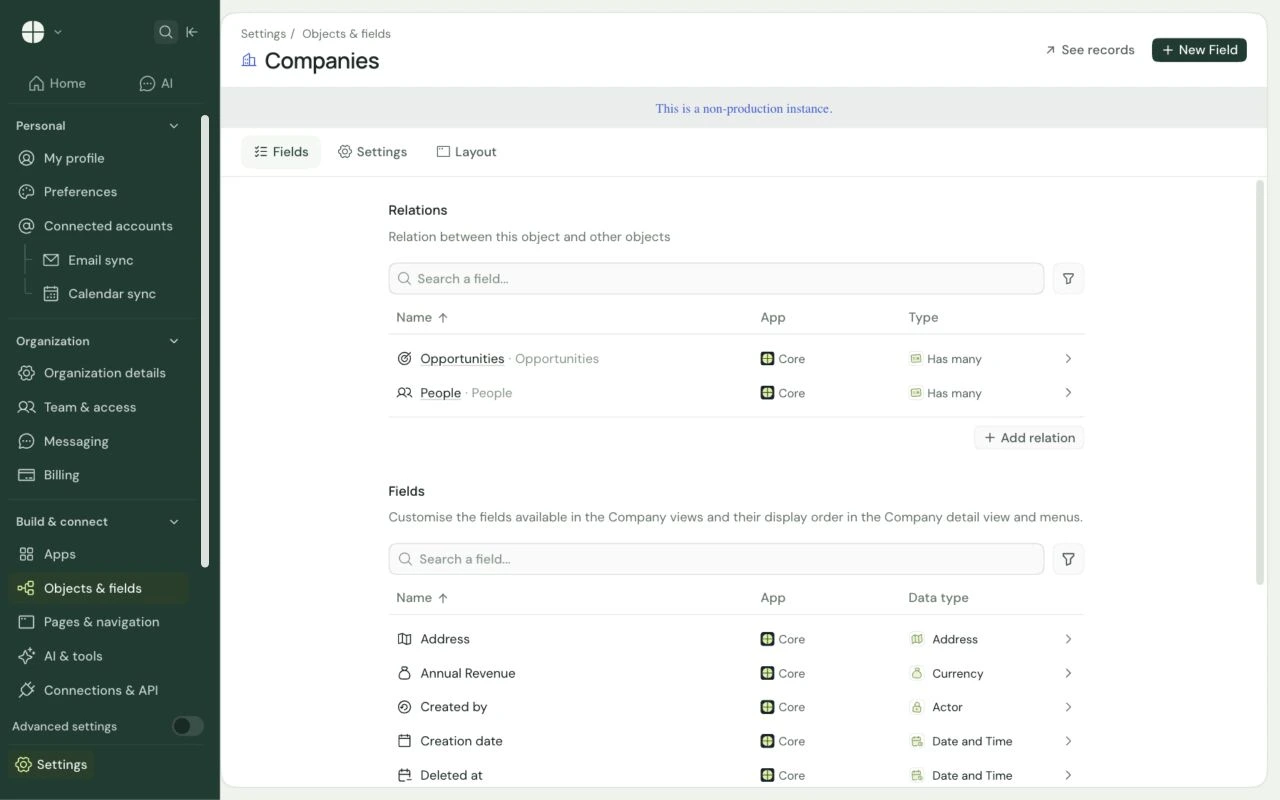
Make the platform your own, from objects and relationships to screens and business logic. Configure the workspace, then build complete applications on top with the Grovana SDK.
  • Custom data, views, layouts, and navigation
  • Your own interfaces, logic, and AI capabilities
  • Packaged apps on shared records and permissions
Grovana staging Companies fields settings showing relationships to Opportunities and People, plus Address, Annual Revenue, and other company fields.View full screen
Grovana staging · Objects & fields settings · company fields and relationships
Custom appsOpen original ↗
Grovana staging Companies fields settings showing relationships to Opportunities and People, plus Address, Annual Revenue, and other company fields.

Grovana staging · Objects & fields settings · company fields and relationships

MAKE IT YOURS AT EVERY LAYER

Start with configuration.
Build for what’s unique.

Your team can shape the records it manages, the screens it uses, the steps in its process, and the instructions behind its AI.

When you need a purpose-made experience, build it with the SDK. Keep your app connected to the customer records and permissions already in your workspace.

SETTINGS & VISUAL BUILDERS

Configure the way you work.

Add fields and relationships. Choose table columns, board stages, dashboards, and record layouts. Build workflows and give AI skills your team’s instructions.

DEVELOPER SDK & APIS

Create the app you need.

Combine custom interfaces, server-side logic, record types, navigation, and AI capabilities. Package them as an application that extends your Grovana workspace.

YOUR NEXT BUSINESS APP STARTS HERE

Build your own apps.
Keep the work connected.

Use the platform’s records, relationships, workflows, and permission model as your foundation. Bring your own screens and logic to the job your team needs to do.

ONBOARDING HUB

Turn a new customer into a clear plan.

Bring approved scope, owners, milestones, and checklists into one workflow. Build the handoff screen around your delivery process.

ASSET & SERVICE APP

Connect the customer to what you manage.

Model locations, assets, and service agreements. Give the team useful views and actions for each account.

RENEWAL WORKSPACE

Put the next conversation in motion.

Bring agreement dates, account reviews, and opportunities together. Configure follow-up workflows and AI preparation around your cadence.

GOOD QUESTIONS

Built to fit your business.

Is Grovana a CRM or an app platform?

Both. Accounts, contacts, and sales give you a useful starting point. Custom data models, screens, workflows, AI, and the developer SDK let you build business applications on that foundation, from an onboarding hub to an asset register or renewal workspace.

What can our team customize without writing code?

Use workspace settings and visual builders to configure objects, fields, relationships, views, dashboards, record layouts, and workflows. Configure AI skills and agents with your instructions and available tools. Permissions control who can make those changes.

When would we use the developer SDK?

Use it for bespoke interfaces, server-side business logic, new connections, or an app that brings those pieces together. Apps can add records, views, navigation, skills, and agents, and work with existing workspace records through the platform’s APIs and permission model.

Are all of the example apps included?

The examples show what you can configure or build on Grovana. The right combination of workspace setup, custom development, AI providers, and validated integrations depends on your process. We agree that scope before implementation.

BUILD AROUND YOUR BUSINESS

Your process.
Your next app.

Bring the workflow you want to shape or the app you wish existed. Let’s build it on Grovana.

Book a demo