Practical AI · Customer information
Check AI-written customer summaries before you save them
A practical review process for service teams using AI to draft customer summaries, with source checks, clear uncertainties and a human decision before saving.
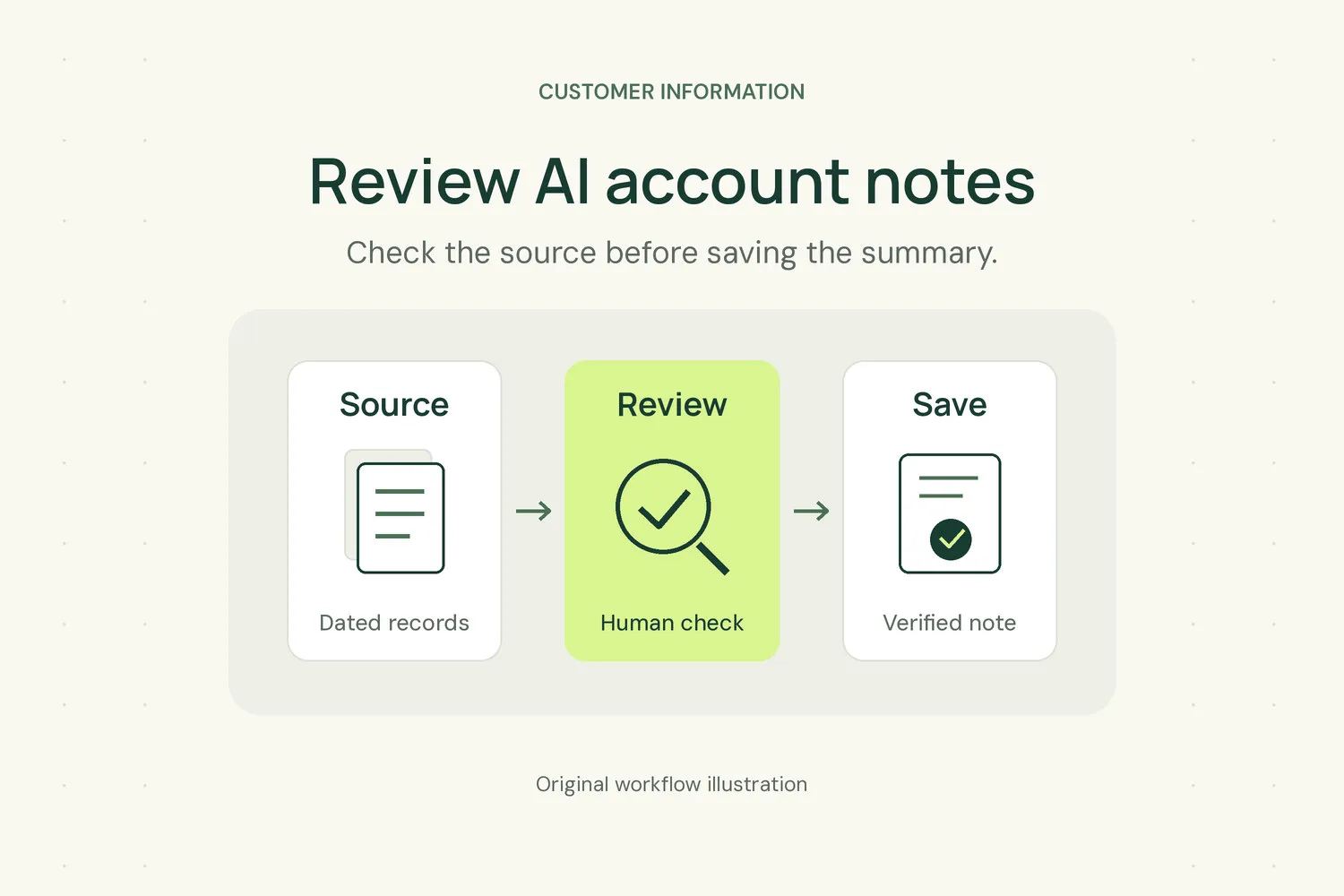
Imagine an account manager preparing for a customer call. An AI-written summary says the customer approved an equipment replacement. The original email only asked for a revised proposal. In this hypothetical example, a short summary has changed a request for information into permission to act.
That is the kind of mistake worth looking for before a draft becomes part of the customer record. A tidy paragraph can look ready to use while still needing careful review.
If your service business or managed service provider uses AI to draft account notes, give someone responsibility for checking them. Review what the summary means, not just whether it reads well. Start with a small process your team can repeat during ordinary work.
Give the draft a narrow job
Choose a specific source and purpose. Summarising one service call for a colleague is a more manageable task than asking for everything important about an account.
Decide what the reader needs before creating the draft. Someone preparing a follow-up call may need the customer’s unanswered question and the next action your team promised. A technician taking over an issue may need the symptoms, what has already been tried and the result of each attempt.
Ask the tool to use only the material you provide, keep dates and names intact, and flag missing information. Tell it to distinguish a customer’s statement from your team’s interpretation. These instructions belong in your team’s working process; they don’t remove the need to check the result.
Use only information and tools your organisation has authorised for this purpose. Leave out unrelated personal details, passwords and other sensitive material the task does not require. If the source is inaccessible to the intended reviewer, sort that out before generating a summary they cannot verify.
Keep evidence next to the claims
Save a link to the source beside the draft. For a summary built from several records, identify which records it covers and the date range. A reviewer should not have to search an entire mailbox to work out where a statement came from.
Check dates carefully. The date someone wrote a note may differ from the date of the conversation it describes. A message sent before a meeting may contain a proposal that the meeting later changed.
For claims that could affect work or customer expectations, ask the reviewer to find the supporting passage. This includes approvals, delivery commitments and unresolved service concerns. If they cannot locate support, remove the claim or mark it as unconfirmed.
Keep the original records. A summary is useful for finding your way into an account’s history, but colleagues should still be able to read the material behind it.
Read for changes in meaning
Review the summary beside the source instead of checking it from memory. Look for places where cautious language has become certain or separate events have been joined into a conclusion.
Pay particular attention to these changes:
- A request for options becomes an approved purchase.
- A tentative date becomes a firm commitment.
- An internal suggestion becomes something the customer requested.
- A resolved issue appears as an ongoing problem.
- An unanswered question disappears because the summary sounds cleaner without it.
Treat those as review checks, not as a claim that every draft contains them.
In another hypothetical example, a customer mentions slow access to a shared folder during one call. A later ticket records that service returned to normal. A summary that includes only the complaint leaves the next reader with an incomplete picture. Check whether later information changes the status, and retain the dates so the sequence stays clear.
If sources conflict, record the conflict and assign someone to clarify it. Don’t let the summary settle a disagreement that the people involved have not resolved.
Check what a colleague would do next
Read the draft as though you were covering the account tomorrow. Consider what you would do after reading it and whether the source supports that action.
A note that says the team will follow up leaves too much open. Where the conversation supports it, identify the responsible person, the action and the agreed timing. If nobody agreed on an owner or date, record that gap rather than filling it with a reasonable guess.
Check names and roles as well. The person who reported a problem may not be the person who can approve extra work. A summary should not quietly give someone authority because they were the main contact on the call.
Have the person closest to the conversation review anything ambiguous. Another colleague can check readability, but they should not have to interpret an unclear commitment on someone else’s behalf.
Review before saving or triggering work
Keep generated text visibly separate from reviewed account notes. Use a draft area or a clear review status in whatever tools you already have. Record who checked the summary and when they checked it.
If you connect the process to automation, make review an explicit condition before the note creates tasks or sends anything to a customer. Start with a process that prepares material for a person to assess. Don’t connect an unreviewed summary directly to a workflow that assumes every statement is correct.
When someone finds an error after saving, correct the account note and check whether anyone has already acted on it. Update affected tasks or correspondence as needed. Changing the paragraph alone may leave the same mistake in a colleague’s work queue.
Try the process on one conversation
Pick a recent, ordinary customer conversation and draft a short summary. Ask the person who handled it to check every actionable statement against the source. Then ask a colleague who was not involved to explain what remains open and what they would do next.
Use their questions to improve your instructions and review checklist. Keep the checklist focused on mistakes that matter to your work rather than making every note pass a lengthy editorial review.
Grovana is in development. The process described here is general advice for teams using their current tools, not a description of a released product feature.
Before saving that first summary, make sure the next person can find its sources and tell which parts someone has checked. Leave anything uncertain visible until the right person resolves it.